


David
Utente forum
-
Iscritto
-
Ultima visita
Tutti i contenuti di David
-
se ti piace pestare su strade strette,veloci...la mini è il massimo per me......
-
 ahah chanel....dall'altra parte mettici anche D&G molto bella comunque...
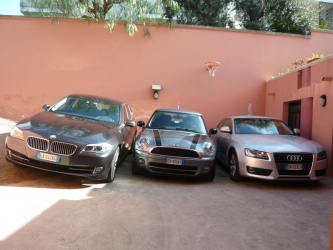 tutte tue?welcomeWelcome...ha ragione sese,se devi cambiarli,tanto vale mettere dei 17"
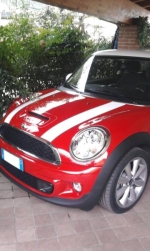 si kry,adesso la lascio cosi,più avanti farò qualche up come listelli e led..e jcw step 2..no scherzoio dico solo che non siamo piloti ragass....non ci interessa il mezzo secondo..il 20km/h di più.. la jcw fa i 240 la focus rs fa i 250 cosa cambia? la tirerete mai a quelle velocità in strada? sono solamente dati,numeri,che ci mettiamo in testa e ci facciamo impressionare... quello che conta è la sensazione,la passione per un marchio,l'estetica...e aggiungo...se vuoi la mini,la compri...non valuti altre macchine..almeno per mè è stato cosi.. non sono stato li a pensare che la ds3 racing và di piu,ma costa di meno,ma,se,ma,se,ma..poi! la macchina ti regala emozioni anche solo a guardarla.... la rs3 da 4,5sec 0-100...a vederla..non mi darà mai le emozioni della mia S....
...di giotto
si kry,adesso la lascio cosi,più avanti farò qualche up come listelli e led..e jcw step 2..no scherzoio dico solo che non siamo piloti ragass....non ci interessa il mezzo secondo..il 20km/h di più.. la jcw fa i 240 la focus rs fa i 250 cosa cambia? la tirerete mai a quelle velocità in strada? sono solamente dati,numeri,che ci mettiamo in testa e ci facciamo impressionare... quello che conta è la sensazione,la passione per un marchio,l'estetica...e aggiungo...se vuoi la mini,la compri...non valuti altre macchine..almeno per mè è stato cosi.. non sono stato li a pensare che la ds3 racing và di piu,ma costa di meno,ma,se,ma,se,ma..poi! la macchina ti regala emozioni anche solo a guardarla.... la rs3 da 4,5sec 0-100...a vederla..non mi darà mai le emozioni della mia S....
...di giotto
Dall'album: David
si si..è proprio cosi...ho chiesto in bmw...semplicemente è gratis..ma abbassano lo sconto..per ritornare a pari...quindi non abbiamo perso niente ;)Account
Navigation
Cerca
Configure browser push notifications
Chrome (Android)
- Tap the lock icon next to the address bar.
- Tap Permissions → Notifications.
- Adjust your preference.
Chrome (Desktop)
- Click the padlock icon in the address bar.
- Select Site settings.
- Find Notifications and adjust your preference.
Safari (iOS 16.4+)
- Ensure the site is installed via Add to Home Screen.
- Open Settings App → Notifications.
- Find your app name and adjust your preference.
Safari (macOS)
- Go to Safari → Preferences.
- Click the Websites tab.
- Select Notifications in the sidebar.
- Find this website and adjust your preference.
Edge (Android)
- Tap the lock icon next to the address bar.
- Tap Permissions.
- Find Notifications and adjust your preference.
Edge (Desktop)
- Click the padlock icon in the address bar.
- Click Permissions for this site.
- Find Notifications and adjust your preference.
Firefox (Android)
- Go to Settings → Site permissions.
- Tap Notifications.
- Find this site in the list and adjust your preference.
Firefox (Desktop)
- Open Firefox Settings.
- Search for Notifications.
- Find this site in the list and adjust your preference.
