saliac91
Utente forum
-
Iscritto
-
Ultima visita
Tutti i contenuti di saliac91
-
ecccoli gia disponibili in inghilterra http://www.minigenui...iffuserKit.html si 420 euro sti ca**i
-
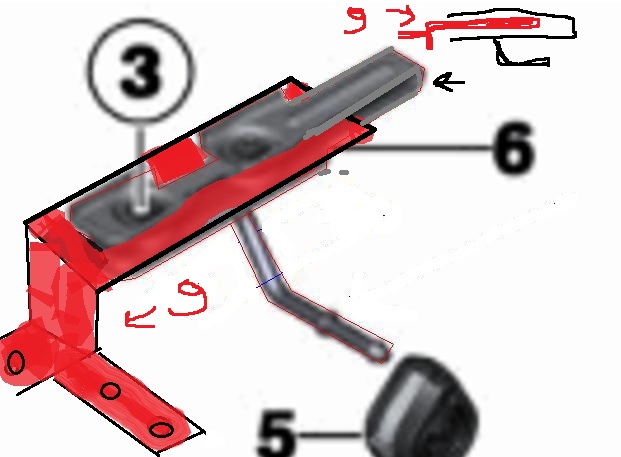
Ahahagah è verooo...stanotte fino alle 3 a disegnare su paint ahahahL ALTA mi ha risposto che è possibile montarla anche su cooper R56 :)il pezzo 9 va inserito in mezzo al pezzo 6 (staffa del terminale) nell immagine in alto a destra è visto di profilo
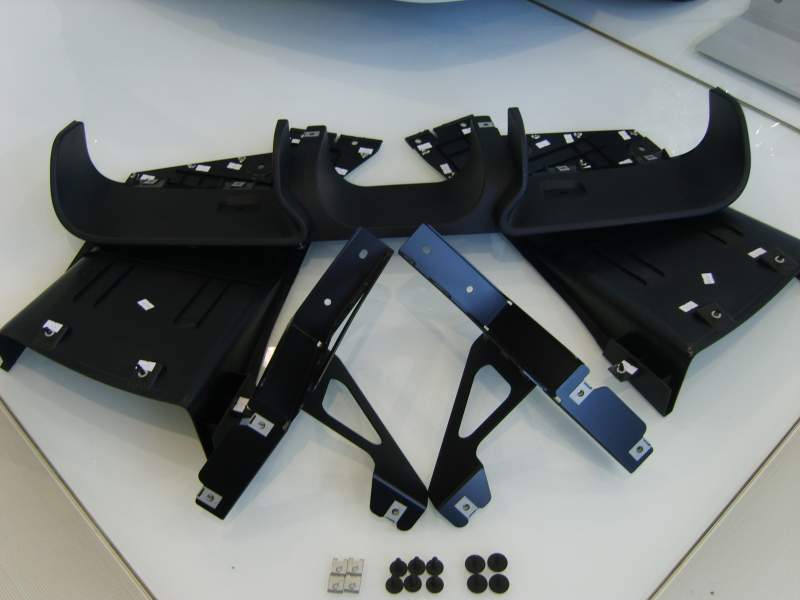
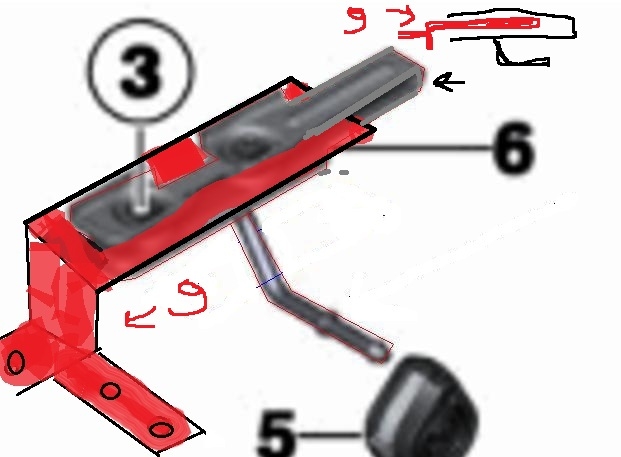 Buona notte =) eccovi i pezzi numero 9...Giuseppe non devi forare niente...la mia teoria era esatta
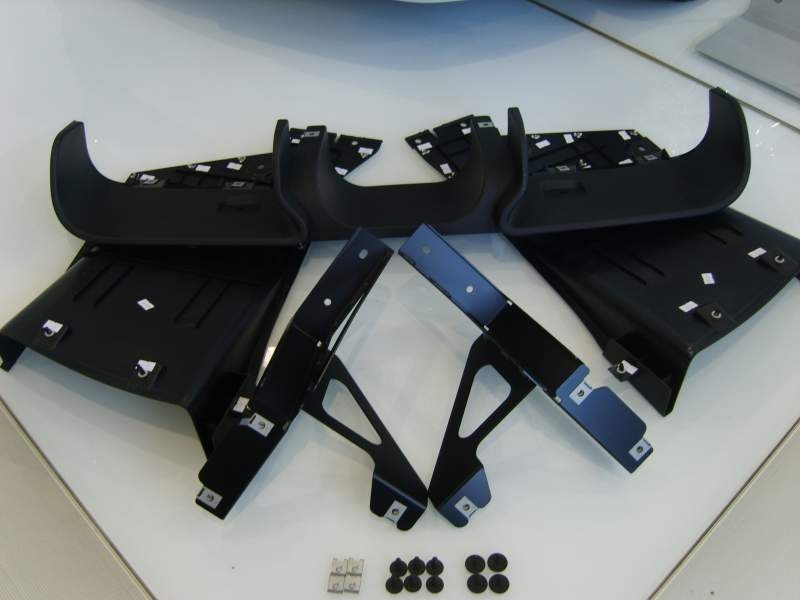 Neanche io ho problemi a forare ma fidatevi che non sarà neessario...io non mi preoccupo per il pezzo 9 perchè eventualmente se fosse solo quello ad essere poco reperibile mi costruirei le staffe molto facilmente con le piastrine in inox millefori...ahahahaha povero Robson...se vedrà questa discussione tenetevi pronti a una libro-cazziata =)Ciao a tutti volevo sapere se era possibile montare una puleggia alleggerita su cooper r56...è uguale a quella delle S? qualcuno l ha montata? i codici realoem come ricambio sono uguali sia per cooper che per cooperS...solo che nei vari siti di ventita se ne trovano solo per cooper s..
Account
Navigation
Cerca
Configure browser push notifications
Chrome (Android)
- Tap the lock icon next to the address bar.
- Tap Permissions → Notifications.
- Adjust your preference.
Chrome (Desktop)
- Click the padlock icon in the address bar.
- Select Site settings.
- Find Notifications and adjust your preference.
Safari (iOS 16.4+)
- Ensure the site is installed via Add to Home Screen.
- Open Settings App → Notifications.
- Find your app name and adjust your preference.
Safari (macOS)
- Go to Safari → Preferences.
- Click the Websites tab.
- Select Notifications in the sidebar.
- Find this website and adjust your preference.
Edge (Android)
- Tap the lock icon next to the address bar.
- Tap Permissions.
- Find Notifications and adjust your preference.
Edge (Desktop)
- Click the padlock icon in the address bar.
- Click Permissions for this site.
- Find Notifications and adjust your preference.
Firefox (Android)
- Go to Settings → Site permissions.
- Tap Notifications.
- Find this site in the list and adjust your preference.
Firefox (Desktop)
- Open Firefox Settings.
- Search for Notifications.
- Find this site in the list and adjust your preference.