ClaudioR50
Utente forum
-
Iscritto
-
Ultima visita
Tutti i contenuti di ClaudioR50
-
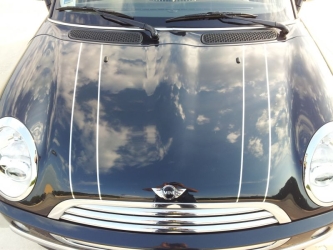 e come le hai realizzate???scusate ragazzi ma qui stiamo parlando di truffe on line e non di reddito mensile ..Stiamo andando un po ot!!! :)Bella...Ragazzi i preventivi si fanno di persona,anche per capire con che tipo di rivenditore si ha a che fare.Lasciate i mezzi moderni tipo mail e telefoni,ste cose si fanno alla vecchia maniera,guardando in faccia il tizio con cui hai a che fare.Io che vendo automobili da 13 anni ti dico che ignoro mail,fax e telefonate dove mi viene chiesto un preventivo,tranne se si tratta di amici....
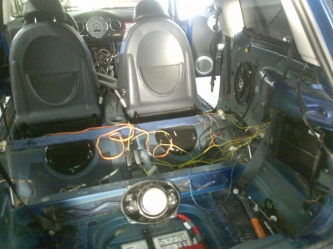 che casino :)pare la turbina...Mi sa che vado di thunder antracite con canale lucido..una buona via di mezzo...
Account
Navigation
Cerca
Configure browser push notifications
Chrome (Android)
- Tap the lock icon next to the address bar.
- Tap Permissions → Notifications.
- Adjust your preference.
Chrome (Desktop)
- Click the padlock icon in the address bar.
- Select Site settings.
- Find Notifications and adjust your preference.
Safari (iOS 16.4+)
- Ensure the site is installed via Add to Home Screen.
- Open Settings App → Notifications.
- Find your app name and adjust your preference.
Safari (macOS)
- Go to Safari → Preferences.
- Click the Websites tab.
- Select Notifications in the sidebar.
- Find this website and adjust your preference.
Edge (Android)
- Tap the lock icon next to the address bar.
- Tap Permissions.
- Find Notifications and adjust your preference.
Edge (Desktop)
- Click the padlock icon in the address bar.
- Click Permissions for this site.
- Find Notifications and adjust your preference.
Firefox (Android)
- Go to Settings → Site permissions.
- Tap Notifications.
- Find this site in the list and adjust your preference.
Firefox (Desktop)
- Open Firefox Settings.
- Search for Notifications.
- Find this site in the list and adjust your preference.