Ben_Cooper
Socio 2016
-
Iscritto
-
Ultima visita
Tutti i contenuti di Ben_Cooper
-
esatto sembrerebbe non aggiungere nuove funzionalità ma solo supporto per ulteriori smartphones. Probabilmente i softweristi ci hanno annegato qualche bug fix, ma se il tuo funziona a dovere non lo aggiornerei...
-
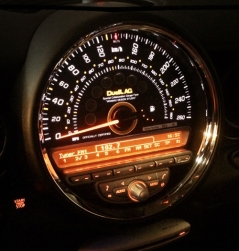
Il mio CBD è precisissimo, confermato da molte prove e riprove.
-
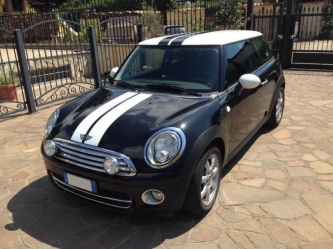
 Il cerchio challenge svetta con fierezza! Bella Mini!
 le hai fatto cambiare faccia! Bel colpo!
 Bella foto, bella Mini e bella Monza! :)
 bella macchina e bella foto!
 Mi piace molto l'inquadratura!
 Grandiosa! Bel colpo! Quoto Albert, editala togliendo la targa! ;)
 che impatto! cambia faccia alla macchina! respect! tamarro un po' si ma chissene! :)
Account
Navigation
Cerca
Configure browser push notifications
Chrome (Android)
- Tap the lock icon next to the address bar.
- Tap Permissions → Notifications.
- Adjust your preference.
Chrome (Desktop)
- Click the padlock icon in the address bar.
- Select Site settings.
- Find Notifications and adjust your preference.
Safari (iOS 16.4+)
- Ensure the site is installed via Add to Home Screen.
- Open Settings App → Notifications.
- Find your app name and adjust your preference.
Safari (macOS)
- Go to Safari → Preferences.
- Click the Websites tab.
- Select Notifications in the sidebar.
- Find this website and adjust your preference.
Edge (Android)
- Tap the lock icon next to the address bar.
- Tap Permissions.
- Find Notifications and adjust your preference.
Edge (Desktop)
- Click the padlock icon in the address bar.
- Click Permissions for this site.
- Find Notifications and adjust your preference.
Firefox (Android)
- Go to Settings → Site permissions.
- Tap Notifications.
- Find this site in the list and adjust your preference.
Firefox (Desktop)
- Open Firefox Settings.
- Search for Notifications.
- Find this site in the list and adjust your preference.