


guazzo
Utente forum
-
Iscritto
-
Ultima visita
Tutti i contenuti di guazzo
-
Ciao ivan, benvenuto nel forum e complimenti per il mezzo!!! metti un po' di foto, faccela vedere!!!Bellissima serata, tanti ministi simpatici e alla mano! Bravi ragà e grazie ale per le foto :post-8-1120395257:Guarda qui...
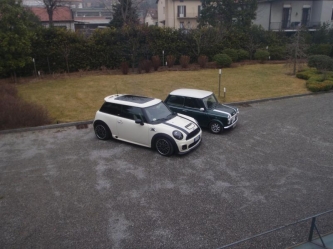 nono sto parlando della pepper r56...
è stupenda così...direi perfetta, poi con quei cerchi hai guadagnato altri punti! :post-8-1120395257:secondo me non c'è nessuna differenza, da quello che sò io solo le pinze della GP sono fatte meglio ma non vorrei dir cavolate, il generale lo sà meglio di me..Benvenuto tra noi!!! l'SD è una macchina che rivoluziona un po' il simbolo sportivo della S, è normale che è stato soggetto di critiche ma sicuramente sarà ben accettato in poco tempo... facci vedere la tua Mini :post-8-1120395257:questi track day fanno male :post-8-1120395070: :post-8-1120395070: :post-8-1120395070: i nostri conti in banca ne risentono!! ahuauhuahhuala tua GP che mi svernicia auauhhuahuahua...si cmq è un bella bomba, tientela stretta :post-8-1120395257:
nono sto parlando della pepper r56...
è stupenda così...direi perfetta, poi con quei cerchi hai guadagnato altri punti! :post-8-1120395257:secondo me non c'è nessuna differenza, da quello che sò io solo le pinze della GP sono fatte meglio ma non vorrei dir cavolate, il generale lo sà meglio di me..Benvenuto tra noi!!! l'SD è una macchina che rivoluziona un po' il simbolo sportivo della S, è normale che è stato soggetto di critiche ma sicuramente sarà ben accettato in poco tempo... facci vedere la tua Mini :post-8-1120395257:questi track day fanno male :post-8-1120395070: :post-8-1120395070: :post-8-1120395070: i nostri conti in banca ne risentono!! ahuauhuahhuala tua GP che mi svernicia auauhhuahuahua...si cmq è un bella bomba, tientela stretta :post-8-1120395257: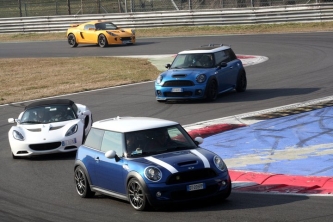 auhauhahuahua grazie berto, sono un po' ignorante in materia, cmq mi piace assaiiii :post-8-1120395257:
Account
Navigation
Cerca
Configure browser push notifications
Chrome (Android)
- Tap the lock icon next to the address bar.
- Tap Permissions → Notifications.
- Adjust your preference.
Chrome (Desktop)
- Click the padlock icon in the address bar.
- Select Site settings.
- Find Notifications and adjust your preference.
Safari (iOS 16.4+)
- Ensure the site is installed via Add to Home Screen.
- Open Settings App → Notifications.
- Find your app name and adjust your preference.
Safari (macOS)
- Go to Safari → Preferences.
- Click the Websites tab.
- Select Notifications in the sidebar.
- Find this website and adjust your preference.
Edge (Android)
- Tap the lock icon next to the address bar.
- Tap Permissions.
- Find Notifications and adjust your preference.
Edge (Desktop)
- Click the padlock icon in the address bar.
- Click Permissions for this site.
- Find Notifications and adjust your preference.
Firefox (Android)
- Go to Settings → Site permissions.
- Tap Notifications.
- Find this site in the list and adjust your preference.
Firefox (Desktop)
- Open Firefox Settings.
- Search for Notifications.
- Find this site in the list and adjust your preference.