Classifica
-
dindione
Utente forum2Punti39Numero contenuti -
Boxerfabio
Socio 20261Punti837Numero contenuti -

LucasCooper
Socio 20151Punti3.926Numero contenuti -

Mr. Bluesman
Socio 20251Punti2.208Numero contenuti


Contenuto Popolare
Mostra il contenuto con la massima reputazione di 28/09/2021 in tutte le aree
-
2 punti
-
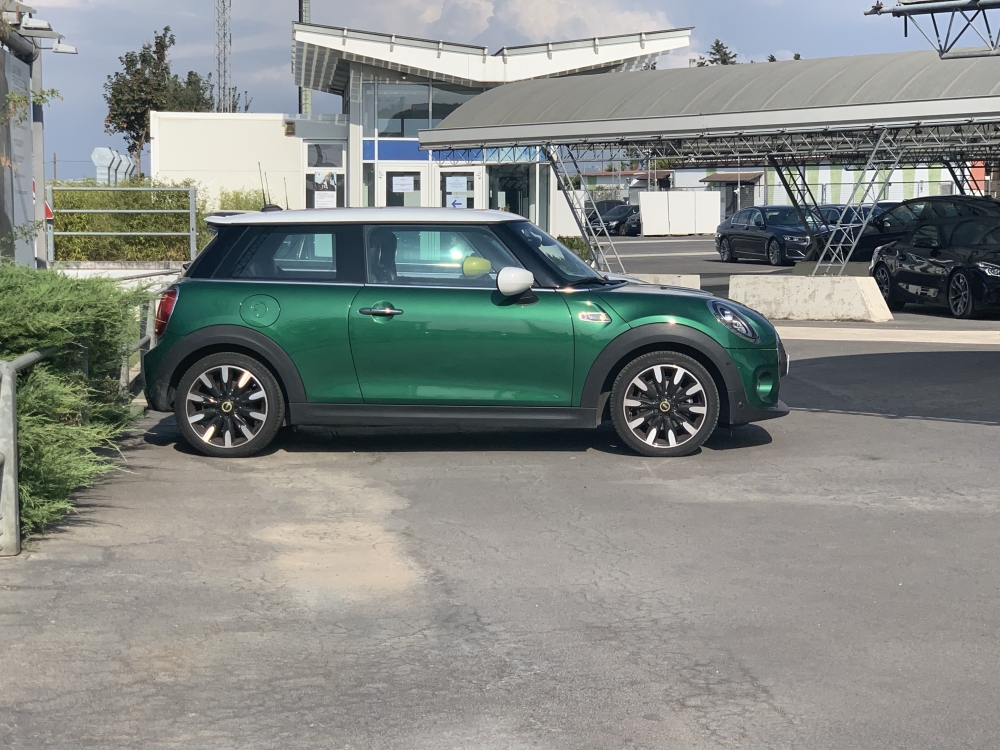
1 puntoCiao a tutti i membri di questo bellissimo forum, mi chiamo Marco e abito in provincia di Latina, sono da poco un felice possessore di una Mini Cooper S E spero di trovare tante cose interessanti per la mia Mini 😄🥳
 1 punto
 -
1 puntoBenvenuto! ....mmmm no aspetta bentornato 😃! Bel mezzo e del colore più bello che c'è!1 punto
-
1 punto
-
Due gocce d’acqua. Anche tappetini e colore dei led!1 punto