Vai al contenuto
View in the app

A better way to browse. Learn more.

mega MINI forum

A full-screen app on your home screen with push notifications, badges and more.

To install this app on iOS and iPadOS
  1. Tap the Share icon in Safari
  2. Scroll the menu and tap Add to Home Screen.
  3. Tap Add in the top-right corner.
To install this app on Android
  1. Tap the 3-dot menu (⋮) in the top-right corner of the browser.
  2. Tap Add to Home screen or Install app.
  3. Confirm by tapping Install.

Classifica

Contenuto Popolare

Mostra il contenuto con la massima reputazione di 07/08/2022 in tutte le aree

  1. 2 punti
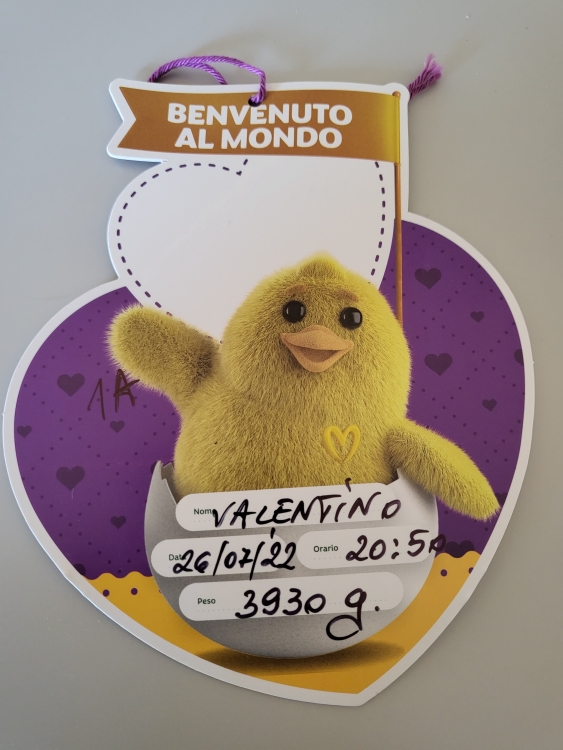
    Buonasera ragazzi! Scusate l'assenteismo ma il lavoro non mi da tregua, in questi giorni spero di essere più presente e "utile" al forum. Inoltre, il 26 luglio è stata una data piuttosto importante per il sottoscritto.......è arrivato il maschietto!!😁😍 indi per cui tra lavoro e il pupo il tempo è stato piuttosto tiranno 😁 P.s. @Vam tieni botta che ormai sei quasi furoi dal tunnel....👍
  2. 1 punto
    Congratulazioni al 👶
  3. 1 punto
    Notizia bellissima! Felice per voi e complimenti alla mamma! 🥳🥳🥳 Io mi riprenderò di sicuro…. 💪🏻 Ben arrivato a Vale! 😘
  4. 1 punto
    Buongiorno e buona domenica. Sotto antibiotico, febbre pare stia sparendo…. Domani o martedì tampone e vediamo. Grazie
  5. 1 punto
    Buongiorno a tutti,Vam come va oggi?
  6. Complimenti per l' acquisto, così total black mi piace molto.

Account

Navigation

Cerca

Cerca

Configure browser push notifications

Chrome (Android)
  1. Tap the lock icon next to the address bar.
  2. Tap Permissions → Notifications.
  3. Adjust your preference.
Chrome (Desktop)
  1. Click the padlock icon in the address bar.
  2. Select Site settings.
  3. Find Notifications and adjust your preference.